

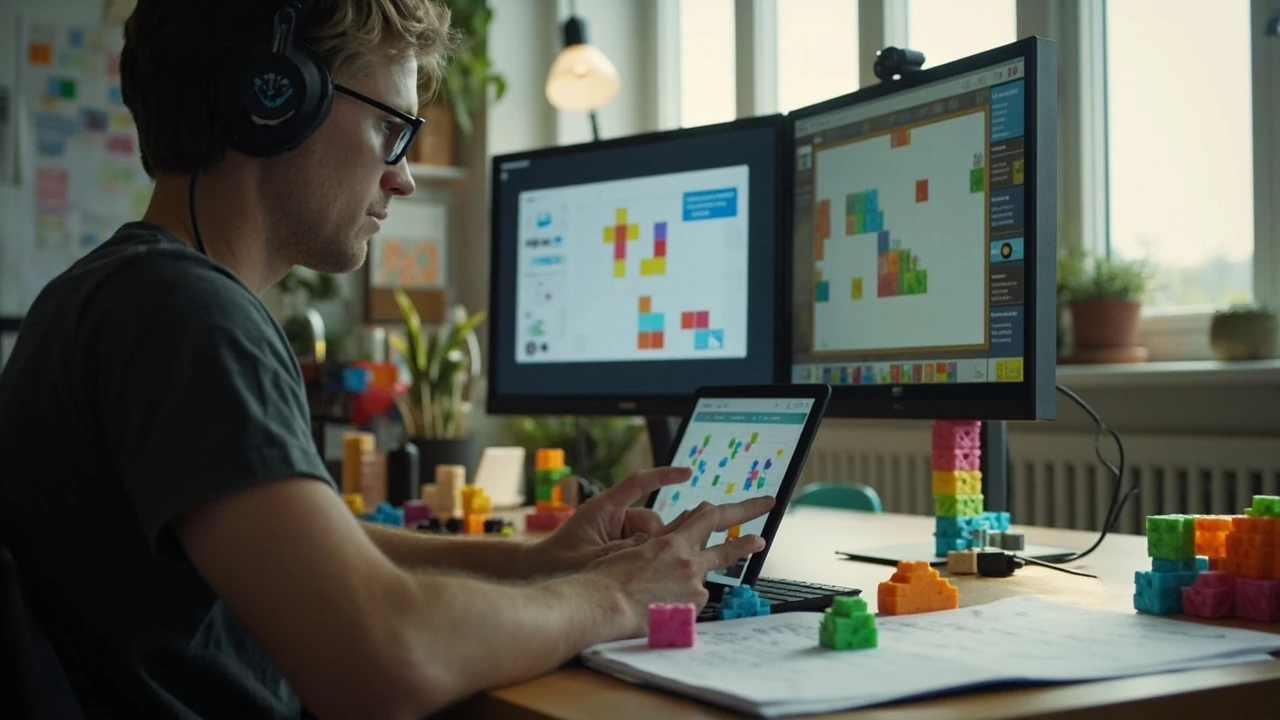
How an educational game developer builds learning into play
An educational game developer does more than place questions between combat encounters. The developer connects a learning objective to decisions that players can make, practice, and understand. A quiz may assess recall, but a well-designed game can also teach planning, diagnosis, vocabulary, calculation, or procedural reasoning through repeated feedback.
The central challenge is balancing three requirements: the activity must match the learning goal, the game must remain coherent as an experience, and the team must be able to tell whether the software is supporting learning rather than merely surrounding it with classroom-themed decoration. This guide follows the work from a one-page prototype through classroom observation, with particular attention to the decisions faced by an educational game developer.
Define the learning behavior before choosing the genre
A broad topic such as mathematics, mythology, or language learning is not yet a design brief. An educational game developer should identify the behavior a player must perform and the evidence that would indicate successful learning. “Teach fractions” is too broad. “Choose equivalent fractions, compare them, and explain why two choices are equivalent” describes an observable task that can guide mechanics, level structure, and assessment.
Write the learning goal in a form that distinguishes recall from reasoning. Avoid phrases such as “understand the material” because they do not specify what the player does. Also avoid assuming that completion proves mastery. A player can complete a sequence of exercises while repeating a memorized procedure, making an error, or skipping feedback entirely.
The following sequence helps connect an educational purpose to a playable interaction:
- Name the target knowledge or skill.
- Describe the behavior that demonstrates the skill.
- Identify the conditions under which the player performs that behavior.
- Define feedback that helps the player correct an error.
- Decide what evidence the game will collect.
- State the conditions under which the design should be revised.
Educational game design becomes more reliable when the learning outcome and the play goal can coexist. If every correct answer immediately produces damage, the assessment may be clear but narrow. If the player must plan a route through rooms containing mathematical obstacles, the system can support procedural reasoning while still making progress visible.
| Learning requirement | Possible player behavior | Useful mechanic | Main design risk |
|---|---|---|---|
| Recall factual knowledge | Select or construct a correct answer | Matching, sorting, or recall challenges | Repetition becomes tedious or encourages guesswork |
| Apply a procedure | Calculate, classify, or order information | Puzzle that unlocks progression | The puzzle adds difficulty unrelated to the subject |
| Explain reasoning | Justify a choice or diagnose an error | Plan-and-explain activity | Feedback gives away the answer |
| Transfer knowledge | Apply a rule in a new context | Scenario, simulation, or strategy task | The context is too complex to isolate the learning goal |
Choose the smallest set of behaviors that the first version can support. A prototype that tests one meaningful interaction can reveal more than a large game that tries to cover a whole curriculum. The game may eventually expand, but the initial build needs a clear question to answer.
Turn learning goals into player-facing objectives
Players do not need to encounter curriculum language in the interface. They need to understand what they are trying to do, why the action matters, and how they can recover from a mistake. The role of the educational game developer is to translate the instructional intent into a goal the player can perceive through play.
A useful objective contains three parts:
- Action: what the player does, such as compare, calculate, categorize, or sequence.
- Object: what the action affects, such as symbols, recipes, historical events, or spatial relationships.
- Result: what successful performance changes, such as opening a route, repairing a device, or helping a character.
For example, “Complete the canyon by calculating the missing measurements” is clearer than “Use math to progress.” The first version has an observable action, a target, and a consequence. It also allows the developer to ask whether a failure came from misunderstanding the subject, misreading the interface, or making a valid attempt with an incorrect method.
Context should appear before the challenge when players have no reason to understand the task. A short scene, narrated explanation, or diegetic prompt can establish the premise without relying on a wall of text. The premise should not conceal the learning objective. If players cannot tell why a challenge exists, they may treat the subject content as decoration.
A community guide to educational game creation similarly emphasizes giving players context, teaching the subject through multiple mechanics, and making the tutorial memorable. Its broader suggestions cover puzzle rooms, concept-based levels, mini-games, and final challenges. These are useful starting patterns, but they should be adapted to the age group, subject, session length, and learning environment rather than copied as a fixed structure.
Select mechanics that reveal thinking
A mechanic is valuable in an educational game when it makes the learner perform, not merely consume. The game loop should repeatedly ask for the relevant action and provide feedback that supports a revised attempt. This is different from attaching a generic quiz screen to a game that otherwise has little connection to the subject.
Consider the relationship among the learning task, the game challenge, and the feedback:
| Design element | Weak implementation | Stronger implementation | Question to test |
|---|---|---|---|
| Challenge | Answer is isolated from the game world | The answer changes the route, resources, or outcome | Does the mechanic make sense without reading the lesson? |
| Feedback | Incorrect immediately | Correct answer | Is the correction specific enough to support another attempt? |
| Scaffolding | Every problem appears at the same difficulty | Prompt, hint, worked example, or simplified step | Can support be removed without making the task unclear? |
| Choice | Only one intended path is possible | Several valid strategies exist | Does the game recognize more than one correct approach? |
| Consequence | Failure only blocks progress | Failure exposes a misconception or opens another method | Does the response teach anything beyond “try again”? |
Use hints carefully. A hint that reveals the answer converts the activity into recognition. A useful hint may restate the rule, highlight relevant information, reduce the number of choices, or demonstrate one step while leaving the decision to the player. Record why each hint appears so the team can measure whether it is used appropriately.
For cooperative play, divide the learning responsibilities. One player may hold information while another plans, or each player may need to contribute subject knowledge. This can make the activity more social, but it can also reduce individual accountability. A later evaluation should distinguish shared group success from each learner’s demonstrated understanding.
Design a tutorial that teaches the interaction
The tutorial should prepare players to perform the core learning behavior. It should not provide a complete worked example and then treat the real challenge as unrelated practice.
A reliable tutorial sequence includes:
- Present a simple version of the target interaction.
- Let the player perform it with minimal interference.
- Provide corrective feedback for likely errors.
- Increase the complexity one variable at a time.
- End with a short task that still requires the player to make the decision.
Test the tutorial with someone who has not seen the content. Ask the player to explain the goal, not simply to complete the level. If they can finish by pressing the indicated key without understanding the task, the tutorial may be carrying too much instruction. If they understand the concept but cannot infer the controls, the interface needs work.
Context and tutorial can be combined. Instead of presenting a classroom lecture followed by unrelated interaction, place the explanation inside the first challenge. A museum map, a laboratory console, or a damaged machine can frame the task, but the subject rule should remain visible enough for the player to apply it.
Build an assessment model that matches the goal
Game telemetry can show whether a player selected the right answer, but that does not automatically prove learning. Assessment must reflect the purpose of the activity and the evidence a teacher or facilitator needs.
Decide in advance what the game will record. Relevant events can include:
- the first attempt at each problem;
- the number and type of errors;
- whether a hint was requested;
- time spent on a task;
- changes made after corrective feedback;
- performance on unfamiliar transfer problems;
- completion of optional practice before the assessed challenge.
Time-on-task is useful only with context. A slow response may indicate careful reasoning, reading difficulty, low confidence, or an inaccessible interface. Combine timing with event patterns rather than treating duration as a learning score.
The assessment model should distinguish among several outcomes:
| Observed pattern | Possible interpretation | Next evaluation step |
|---|---|---|
| Correct first attempt with no hints | Strong immediate performance | Include a related transfer task |
| Correct after a hint | Performance with support | Check whether the player can perform independently later |
| Incorrect, then correct | Useful corrective learning may have occurred | Inspect the error and explanation |
| Correct answers chosen rapidly | Possible pattern recognition or guessing | Use a less familiar item or ask for reasoning |
| Repeated errors in the same category | Persistent misconception or unclear instruction | Review feedback and the task’s language |
Do not convert every telemetry event into a grade. A grade is meaningful only if its criteria match the learning goal. For formative use, the system may show which concept needs more practice. For summative use, the team needs a defensible rubric, consistent item difficulty, and a clear statement of what the score represents.
Create a content pipeline that supports accuracy
Educational content has a different maintenance burden from general entertainment content. Questions, terminology, examples, and scoring rules may need review by a subject specialist. If those materials are embedded directly in scenes, fixes can require programming and art work.
Separate content from presentation where practical. A data asset can store the question, valid answer, acceptable explanation, feedback, difficulty information, and accessibility text. The runtime can then load that content into a scene or presentation layer. The implementation does not need to begin with a complex editor, but it should give non-programmers a controlled way to add and revise material.
Every item should have an owner and a status. Useful fields include:
- learning objective or concept tag;
- question and answer text;
- acceptable responses or answer variants;
- feedback for correct and incorrect attempts;
- difficulty and expected prerequisite;
- source or subject expert review status;
- language and localization status;
- accessibility notes, including image descriptions and reading level;
- version and deprecation state.
Version control matters because content changes affect scripts, data imports, localization files, and tests. Keep content changes reviewable, especially when an answer or feedback is tied to a graded outcome. Automated checks can catch missing translations, broken references, duplicate identifiers, and mismatched answer fields, but a subject review is still needed for conceptual accuracy.
Test comprehension, usability, and classroom conditions
Playtesting an educational game requires more than checking whether the player can reach the ending. The team should test whether players understand the instructions, use the intended reasoning, and receive useful feedback when they fail.
A test session should produce three separate observations:
- Behavioral: what the player did in the game.
- Cognitive: what the player appeared to understand or misunderstand.
- Usability: which interface choices or instructions caused confusion.
Do not infer a misconception only from a wrong click. Ask the player to explain their reasoning afterward. A comparison task might fail because the player misunderstood a symbol, could not read the prompt, or believed a rule that the interface had previously implied. Each diagnosis leads to a different fix.
Classroom and home conditions add constraints that may not appear in a developer test room. Device performance, headphones, ambient noise, interruptions, and group size can alter the experience. The team should test representative hardware and realistic session lengths. If the game depends on synchronized discussion, identify how devices coordinate without assuming a stable network.
Internal site pages that examine how classroom answers or quest choices affect outcomes can provide a useful production analogy. A guide to P3R classroom answers follows a sequence of prompts and decisions, while a choice-focused walkthrough such as Judy romance in Cyberpunk 2077 illustrates how several outcomes can branch from specific actions. Neither is a substitute for educational testing, but both show why a decision system needs an explicit map of actions, conditions, and results.
Validate the learning claim before release
A polished game can still teach an ambiguous or unintended lesson. Validation should ask whether the learning behavior appears when the game claims it will, whether feedback is understood, and whether the design supports the intended curriculum context.
Begin with a review of the content model. Read every question, answer, hint, and explanation as one connected learning sequence. Look for inconsistent terminology, accidental clues, incorrect answer alternatives, and feedback that does not match the error a player made.
Then conduct structured playtests. Give participants a think-aloud task, observe their actions, and ask non-leading questions after the session. Avoid helping them too early because a prompt can conceal a usability problem. Record where they pause, which feedback they revisit, and whether they can explain the rule they applied.
Use transfer tasks to check whether the game taught a general idea or merely prepared players for one puzzle. A new problem should preserve the target concept while changing surface details. If performance collapses when numbers, characters, or ordering change, the original task may have supported memorization more than reasoning.
For classroom deployment, agree on review responsibilities before launch. The subject expert reviews academic accuracy, the developer checks implementation and telemetry, and the teacher evaluates the fit of the task. Their judgments may differ, and that is useful. A technically correct game can still ask questions at the wrong level or introduce terminology before it has been established.
The community educational game guide offers one collection of design ideas, including context, tutorials, subject-based puzzles, and several possible goal structures. Treat these as hypotheses for a prototype. The strongest version of the idea will depend on the specific audience, subject, session format, and evidence gathered during playtesting.
Plan accessibility, localization, and classroom adaptation
Educational software must account for the conditions in which learners read, hear, see, navigate, and respond. Accessibility is not a late cosmetic pass. If a mechanic depends on rapid color matching, tiny text, or a precise motor action, the same interaction may exclude learners who could otherwise reason correctly.
Review the activity across several dimensions:
- Can all necessary information be perceived through more than one channel where needed?
- Can keyboard, controller, mouse, or touch input complete the task without precision unrelated to the subject?
- Are instructions readable without requiring an unannounced reading level?
- Does feedback identify the relevant element without relying on color alone?
- Can pacing and hint access be adjusted without changing the learning goal?
- Are spoken instructions and captions available when audio carries required information?
Localization affects more than interface labels. A translated exercise may depend on word order, character length, puns, or a culturally specific example. Keep source content separate from displayed strings where possible, allow text expansion, and use subject experts to review translated terminology. A mechanically valid translation can still be educationally weak if it changes the difficulty of a sentence or loses the distinction between two concepts.
Plan for variation in the classroom. A teacher may need to pause, replay, skip, or assign a subset of questions. Avoid building the lesson around one uninterrupted route unless that route is essential. A teacher dashboard, downloadable progress summary, or configurable question set can be valuable, but only if its data is accurate and understandable.
Choose production milestones around evidence
An educational game developer benefits from milestones that reduce the most important uncertainty first. A large art build can make a prototype look credible, but it does not prove that the learning loop works. Conversely, a mechanic that works only in a spreadsheet may fail once students enter a scene with distractions, conversation, and time pressure.
| Milestone | Primary evidence | Acceptable outcome | Do not assume yet |
|---|---|---|---|
| Learning prototype | Core action produces a plausible learning interaction | Players can perform the task and explain it | The final theme or level sequence is right |
| Content prototype | Items, feedback, and progression are usable | A subject expert can review a coherent set | All production content is complete |
| Integrated build | Mechanics, presentation, data, and telemetry work together | Errors are traceable and sessions can be reviewed | Long-term retention has been established |
| Pilot release | Real learners use the activity in its intended setting | Observed behavior matches the stated goal | It will work equally well for every classroom |
| Production release | Content, support, and review processes are stable | Updates and corrections have clear ownership | No further misconception or accessibility issue will appear |
For a production team, keep ownership explicit. The subject expert approves the academic claim and terminology. The game designer owns the relationship between that claim and play. Engineers own reliable implementation and telemetry. Artists and audio specialists own clarity and accessibility within their domains. Producers coordinate review gates, dependencies, and acceptance criteria.
Acceptance criteria should describe observable artifacts rather than broad intentions. “The game is educational” cannot be tested. “A first-time player can explain the rule after the tutorial, complete three increasingly complex problems, and use a hint without a redundant answer reveal” can be tested. Criteria should also cover failure behavior, data recording, content accuracy, and the conditions under which a pilot should stop.
Use the right evidence for each claim
An educational game developer can observe many things, but each observation supports a different kind of claim. A playtest can show that participants selected the correct option. It cannot, by itself, show that they transferred the concept weeks later or that every future learner will understand the same explanation.
Keep these evidence levels separate:
- System behavior: the game recorded a specific action or result.
- Observed performance: a participant completed a task in a tested session.
- Participant explanation: a learner stated a reason or interpretation.
- Transfer check: performance persisted after context or surface details changed.
- Longer-term learning claim: knowledge or skill was retained across a meaningful interval.
Match the evaluation to the claim you need. If a pilot is intended to test usability, a modest session with representative learners may be enough to expose interaction problems. If the product promises durable learning, a longer assessment is necessary. If the software is used for assessment, stronger item design, security, and interpretation rules may be required.
Document the scope of every result. Note the learner profile, subject, device, session length, task set, and support conditions. Without that context, a percentage or quote can create a misleading impression. The most useful report often says both what happened and what the team changed as a result.
Prepare for maintenance after release
An educational game ships with a continuing responsibility to its content. Curricula, terminology, language, devices, and classroom practices can change. The release milestone should therefore include a maintenance plan rather than treating launch as the end of the product work.
A practical maintenance backlog may include:
- corrections to subject content;
- new questions that address observed misconceptions;
- accessibility fixes reported by learners or facilitators;
- localization corrections;
- balance or pacing changes tied to completion data;
- telemetry schema updates and report adjustments;
- compatibility work for supported devices;
- changes to external references or licensed material.
When a misconception appears, diagnose the system before patching one question. The issue may be in the teaching example, visual hierarchy, hint timing, difficulty progression, or interpretation of the objective. Updating content without recording the cause risks replacing the symptom repeatedly.
Version the assessment model as well as the game. If a change alters question order, feedback, hints, scoring, or task structure, previous and new results may not be directly comparable. Publish clear change notes for educators who use the activity.
A practical workflow for an educational game developer
A disciplined workflow keeps learning design connected to production evidence:
- Write the learning brief. Specify the knowledge, skill, audience, context, and evidence of performance.
- Map the player experience. Connect each challenge to the required behavior and the game’s progression.
- Prototype the hardest interaction. Test the mechanic before investing in complete content or presentation.
- Review instructional content. Have a qualified subject reviewer check accuracy, terminology, and difficulty.
- Run usability playtests. Separate interface confusion from subject misunderstanding.
- Add assessment evidence. Capture attempts, hints, corrections, explanations, and transfer tasks.
- Test realistic conditions. Use representative devices, class sizes, timing, and network conditions.
- Define release criteria. Specify content accuracy, failure behavior, accessibility, and reporting requirements.
- Deploy a limited pilot. Observe the activity before committing to a large rollout.
- Maintain evidence and content. Record findings, assign corrective work, and version meaningful changes.
The key decision for an educational game developer is not whether the game looks educational. It is whether the player’s actions, feedback, and environment consistently support the stated learning behavior. A modest prototype, a carefully reviewed content set, and a structured playtest can answer that question before a large production investment makes revisions expensive.
Frequently asked questions
What does an educational game developer do?
An educational game developer designs and implements games that support a defined learning goal. The work includes defining learning behaviors, turning them into mechanics, creating subject-accurate content, building feedback, recording evidence, and testing the experience with learners. The role often overlaps with game design, instructional design, software engineering, and content production.
Do I need a teaching degree to become an educational game developer?
Not always, but you need credible subject knowledge or reliable access to a reviewer. You can develop the software while a teacher, tutor, or subject specialist validates the content. For higher-stakes assessment, educational research, or formal curriculum claims, stronger pedagogical and subject credentials may be necessary. The exact requirement depends on the setting and the claims made by the product.
Which programming languages are useful for educational games?
The language matters less than the ability to build reliable content data, interactive state, feedback systems, and telemetry. Common choices include C#, C++, JavaScript, TypeScript, Lua, and Python, depending on the engine and target platform. Choose a stack your team can maintain and ensure that content can be updated without excessive engineering work.
How do I make learning feel like play rather than a quiz?
Make the subject-relevant action part of a meaningful game decision. Let the answer influence movement, resources, strategy, exploration, or narrative consequences. Give feedback that helps the player revise an approach, and vary the context so the player must understand the rule rather than memorize one screen. A quiz can still be appropriate, but it should be integrated with a coherent purpose and feedback loop.
How can I tell whether the game actually teaches anything?
Use multiple forms of evidence. Observe task behavior, ask learners to explain their reasoning, examine incorrect attempts, and include unfamiliar transfer problems. A correct answer on the first attempt shows immediate performance, not durable learning. Longer-term claims require follow-up or retention assessments designed for that purpose.
Should an educational game have hints?
Usually, yes, when the hint preserves the learning task. Good hints can restate a rule, identify relevant information, model one step, or reduce complexity. Avoid hints that simply reveal the answer. Track hint use and compare performance with and without support so the team can distinguish independent mastery from assisted completion.
What is the best way to organize educational content?
Keep content data separate from the runtime presentation wherever the project allows. Store questions, valid answers, feedback, objectives, difficulty, review status, and localization fields in structured assets. Give content owners a controlled review process, use version control, and add automated checks for missing fields, broken references, and translation issues.
Can one educational game work for many ages?
The underlying concept may remain stable, but reading level, examples, pacing, difficulty, feedback, and visual density often need to change by audience. Treat a new age or proficiency group as a design adaptation rather than a simple label change. Validate the adapted activity with learners from the intended group.
How do I protect classroom privacy?
Collect the minimum data needed for the stated purpose, explain what is recorded, restrict access, set retention limits, and avoid collecting information that the activity does not require. Review the deployment context and any applicable institutional or regional requirements. This article does not establish legal compliance; a qualified reviewer should verify the product’s actual data practices.
What belongs in an educational game design document?
The document should state the target learner, learning objective, observable behavior, session structure, core mechanics, content model, feedback model, assessment purpose, accessibility needs, technical constraints, review owners, and acceptance criteria. Include known uncertainties and the evidence needed to resolve them, especially when the project is still in prototype or pilot development.

Leave a Reply